
Home Risk Analyser: know the impact before you commit
What would happen to your staffing ratios if you accepted a new resident, or if sickness absence increased on a particular shift?
The new Home Risk Analyser in DepenSys helps you answer those questions before you commit. In this article, we explain how the tool works, when to use it and how it can help you evidence staffing and admission decisions.
Experience isn't evidence
Ask a registered care home manager how they knew they could safely take on a new admission last month, or how they worked out whether last Tuesday's night shift was covered when two carers rang in sick, and you'll usually get an honest answer: experience, a look at the rota, and a judgement call. It's how staffing and admission decisions have generally been made in the sector.
But if something goes wrong, it can be uncomfortable when somebody asks to see the reasoning behind those decisions. This is a position more managers are finding themselves in. CQC inspectors increasingly expect documented evidence about how staffing and admission decisions were assessed, not just a description of what was eventually done. Local authorities querying a fee want to see the working, not just the outcome.
And if something goes wrong (a safeguarding concern, a complaint, a difficult question from a family), then the home with a record of how it assessed the risk is in a better different position to a home that can only say it felt right at the time.
The problem is that most of this planning still happens outside the care record: a mental estimate of likely need, cross-referenced against a rota held in a separate system or a spreadsheet, a call made on the day. Where it's written down, if at all, it tends to sit in a document disconnected from the resident data which justifies the decision, with no way to show what was modelled, or when.
Model it before you commit
The Home Risk Analyser's a new scenario-planning tool inside DepenSys, built to bridge the gap between making a decision and being able to show how you reached it.
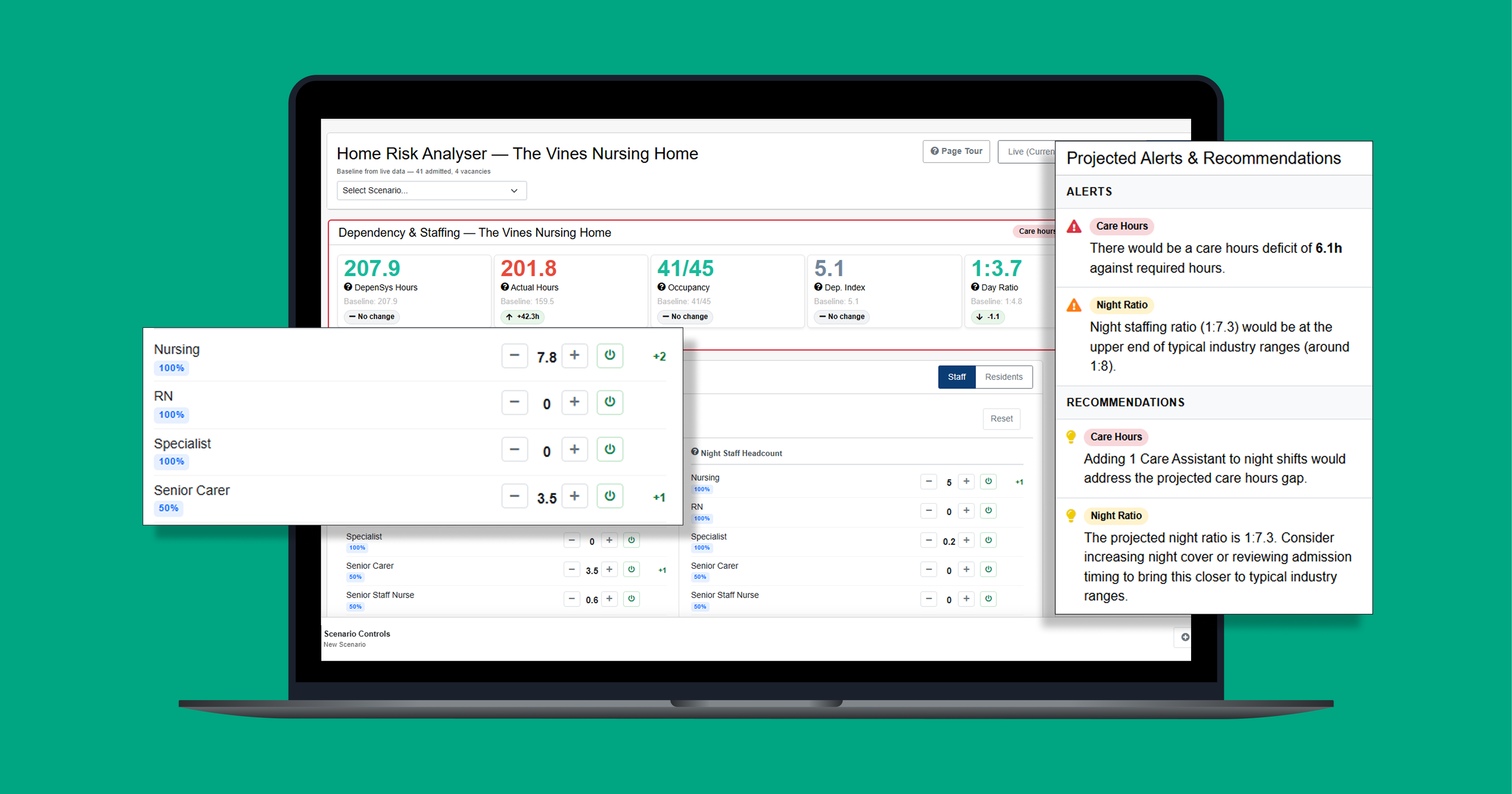
The Analyser brings your current residents, their assessed care needs and your staffing arrangements into one view, then lets you model 'what if' scenarios and see the effect on care hours and ratios before you commit to anything. Every scenario can be saved, so the thinking behind a decision sits on record rather than in someone's head.
Let's look at three common situations:

A referral comes in and you don't yet have a full needs assessment, but you still need a view on whether you can accommodate them safely. The Hypothetical tab lets you add a fictional resident by dependency banding, from Low to Very High, toggle nursing care on or off, and set a quantity. Then straight away, you can see the effect on your care hours and ratios. This isn't a substitute for a pre-admission assessment - it's a way to stress-test an enquiry before you commit to the assessment.

Sickness tends to be discovered shift by shift, so the scramble for cover often starts after the gap has already become a problem.
In the Home Risk Analyser, the staffing scenario panel lets you model a percentage of staff absent through sickness on day or night shifts, and see immediately what that does to your available hours and ratios.
Run it against your home's typical sickness rate for a realistic stress test, with enough warning to arrange cover before the shift starts, not during it.

Where a prospective resident already has a completed needs assessment in mCare and is on the 'To Come In' list, the TCI tab adds them to your scenario using their actual assessed care hours rather than an estimate, giving a more accurate projection of the impact on your home before the admission happens.
A record you can point to
Let's take the example of a known admission one step further. Say the saved scenario shows a resident's assessed care hours at the time of admission, but when they've settled in, it turns out their needs are higher. If a CQC inspector then asks why your home took them on without the capacity, the saved scenario shows what was known and why the decision looked reasonable at the time. You'd still need to adjust staffing to meet the higher need - the record can't do that for you - but it shows your reasoning held up at the point the decision was made.
Every scenario in the Home Risk Analyser can be saved and exported as a PDF, whichever situation it started from. The PDF automatically includes the date you created it (the 'Exported' date). So when a local authority or an inspector asks how a staffing or admission decision was assessed, you can show the proof of your modelling, not a reconstruction from memory.
Get started with Home Risk Analyser
If you're already using DepenSys, the Home Risk Analyser is available now. Select a home and you'll find the Analyser in the navigation menu, with a short tour if you'd like a guided introduction.
Not yet using DepenSys? Get in touch with us to see how the Home Risk Analyser works with your existing staffing and admissions processes.
Other articles

Veteran-friendly care starts with recognising service
Remembering service, recognising the individual Military service can shape a person’s identity, relationships and outlook long after they ...
- 6 min read

Global PHP security issue: what it means for PCS customers
The web security issue that made headlines The issue relates to PHP, a widely used technology that helps power websites, online services ...
- 4 min read

Best practices for medicine management in care homes
What are the best practices to help you achieve greater medicine management in your care home?
- 15 min read