
ATLAS eMAR: for
existing customers
Information and support for PCS customers using ATLAS medication management system.
The information on this page is correct at 30 July 2026

We no longer offer ATLAS to new customers
This is because in June 2026 PCS acquired Camascope, a medication management system.
Currently both ATLAS and Camascope continue with full support. ATLAS will be retired by the end of March 2027.
On this page, you'll find FAQs and resources for existing ATLAS customers.
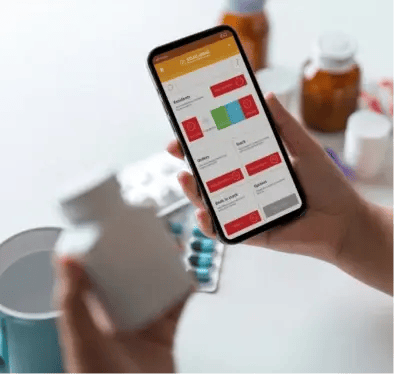
Our eMAR for new customers is PCS eMAR by Camascope
Camascope is an award-winning medication management system.
FAQs: Moving from ATLAS to Camascope
ATLAS is reaching the end of its life, and every provider using ATLAS will move across to Camascope by the end of March 2027.
Migration is open now for providers ready to move.
Below, we've answered common questions about moving to Camascope. If your question isn't answered here, email us - we'll be happy to help. You can also call us on (+44) 0117 200 1474
We're here from 8am to 5.30pm, Monday to Friday except bank holidays.
Camascope is the market-leading eMAR platform in UK care homes, already trusted by over 3,500 care homes and 100,000+ service users. It's the most advanced system on the market - and by bringing ATLAS homes onto it, your organisation benefits from that investment, scale and depth of capability from day one.
Rather than maintaining two separate platforms, PCS is putting all of its development focus into one medication management system. This means faster improvements, a stronger product and a better experience for your team long into the future.
We're planning to move all ATLAS customers to Camascope between now and the end of March 2027. Our team will contact you well in advance to prepare you for moving to Camascope, including training sessions and a full onboarding plan.
If you'd like to move to Camascope earlier, email us and depending on your circumstances, we may be able to bring your move forward to an earlier phase.
When you've confirmed that you'd like to move to Camascope, your dedicated Onboarding Manager will arrange a kick-off call with your Project Lead(s) and/or Home Manager(s).
During this call, we'll work with you to identify the most suitable time for the move, agree on your go-live date(s), guide you through the onboarding process, and schedule all required training sessions.
We aim to make sure everyone involved understands the implementation plan and is fully prepared for a smooth and successful transition.
When you move to Camascope, you'll be asked to sign a new Camascope Order Form, which references the PCS Terms & Conditions.
We'll align your Camascope pricing with your current ATLAS subscription costs, so there's no change to the cost when you move to Camascope.
We expect almost all customers will be able to continue using your existing hardware (handheld devices, tablets, laptops etc) with Camascope, so it's unlikely there will be any hardware costs.
Yes. ATLAS will remain fully maintained, safe and reliable until your move to Camascope.
The transition has been designed to minimise disruption, with dedicated support available on go-live day so your team can continue administering medication without interruption.
After the move, you will retain read-only access to ATLAS Central, allowing you to run historical reports and access your full audit history whenever needed.
There will be no impact on your day-to-day medication rounds or care operations, as there is no downtime during this process.
The move from ATLAS to Camascope is designed to be seamless, making sure you have uninterrupted access to medication records and allowing your team to continue delivering safe, efficient care.
Camascope brings a number of improvements that make day-to-day medication management smoother for your team:
-
Support when you need it: 24/7 telephone and email support, plus a dedicated account manager, rather than help only during business hours
-
Easy handling of complex regimens: step-up/step-down dosing, variable cycles and PRN follow-up timers are built into Camascope
-
Advanced body maps: automatic rotational site suggestions, full front and back body views, and mandatory-site enforcement, with formal medicated vs non-medicated classification
-
Clearer accountability: every schedule change requires a reason note before saving, giving you a built-in audit narrative for every change made
-
Smarter stock management: shelf and trolley stock are tracked separately, with discrepancies automatically flagged
-
Simpler prescribing workflow: GP proxy ordering is built in, removing the need for parallel systems
-
Ingredient-level allergy checking: Camascope cross-references specific active ingredients against a resident's allergy profile, including brand-versus-generic clashes
-
Wider pharmacy access: Camascope works with the vast majority of UK pharmacies
For larger and multi-site organisations, Camascope ONE (available as an add-on) also offers Single Sign-On via Microsoft Entra ID, AD Sync with automatic staff starter/mover/leaver management across all units, Data API and IP Whitelisting.
We’ve emailed customers a short demo video, with a more detailed version available on request. You can also join a webinar or request access to a sandbox environment to explore Camascope eMAR.
After reviewing the materials, you can arrange a follow-up discussion with a PCS Group representative to answer any questions.
Training will be delivered through three compulsory learning methods to make sure your team is fully prepared before the move to Camascope:
-
Compulsory e-learning: all team members must complete this prior to your move
-
Handset webinar with live Q&A: this session for staff involved administering medication gives them hands-on training and the opportunity to ask questions
-
Remote training: this session for staff responsible for medication management is delivered by one of our experienced trainers, giving your team in-depth instruction tailored to their role
Throughout your move to Camascope, you'll be supported by a dedicated Onboarding Manager. Their role is to guide your team, answer any questions and make sure all onboarding milestones are completed successfully, helping to make the transition as smooth as possible.
You'll be supported at every stage:
-
Beforehand, your Customer Success Manager or Account Manager will keep you informed about timelines and what to expect.
-
During the transition, you'll have a dedicated Onboarding Manager who will make sure everything stays on track and progresses smoothly.
-
Afterwards, your Customer Success Manager or Account Manager will continue to support you as usual via ongoing meetings to make sure you're making the most of your PCS solutions.
Throughout the move, you'll also have access to our Support team, who can answer any questions via our in-app chat and Help Centre.
Yes. The Camascope pharmacy team will work directly with your current or new pharmacy to support onboarding and ensure continuity throughout the transition.
When a pharmacy needs to support an ATLAS home before the move, the team can discuss the interim onboarding requirements with them.
Read more: Camascope pharmacy onboarding
Camascope currently supports care planning integrations with mCare, Nourish and PredicAire, with additional integrations planned as part of our roadmap.
If you currently use an ATLAS integration with another care planning system, such as Ablyss or Standex/Carebeans, please be aware that these integrations might not be available after moving to Camascope. If you have concerns about this affecting your workflows, email us to discuss the available options.
If you use ATLAS data exports for reporting, including scheduled exports, BI tools or custom reports, we're also be happy to discuss the reporting capabilities and alternatives available within Camascope.
Your first point of contact is your PCS Customer Success Manager or Account Manager, who oversees your timelines and ongoing relationship.
During your move to Camascope, your dedicated Onboarding Manager will be on hand to keep things on track and answer any questions about the process.
For day-to-day questions at any time, message the Support team via the in-app chat and Help Centre.
How care teams use ATLAS
If you're new at a home using ATLAS, here's a quick intro to how it works
Use the app on a handheld device to log in and see what medication is due for each resident
ATLAS brings together your eMAR and pharmacy so it's fast and easy to re-order medication
Scan barcodes to make sure the right medication is given to the right resident at the right time
ATLAS integrates with other systems such as care planning, pain management and medicines information services
Get in touch
Still have questions? We're here to help